Update an Application
This operation will allow you to update your application to the intended version without losing data. In order to update an instance, please use the following steps,
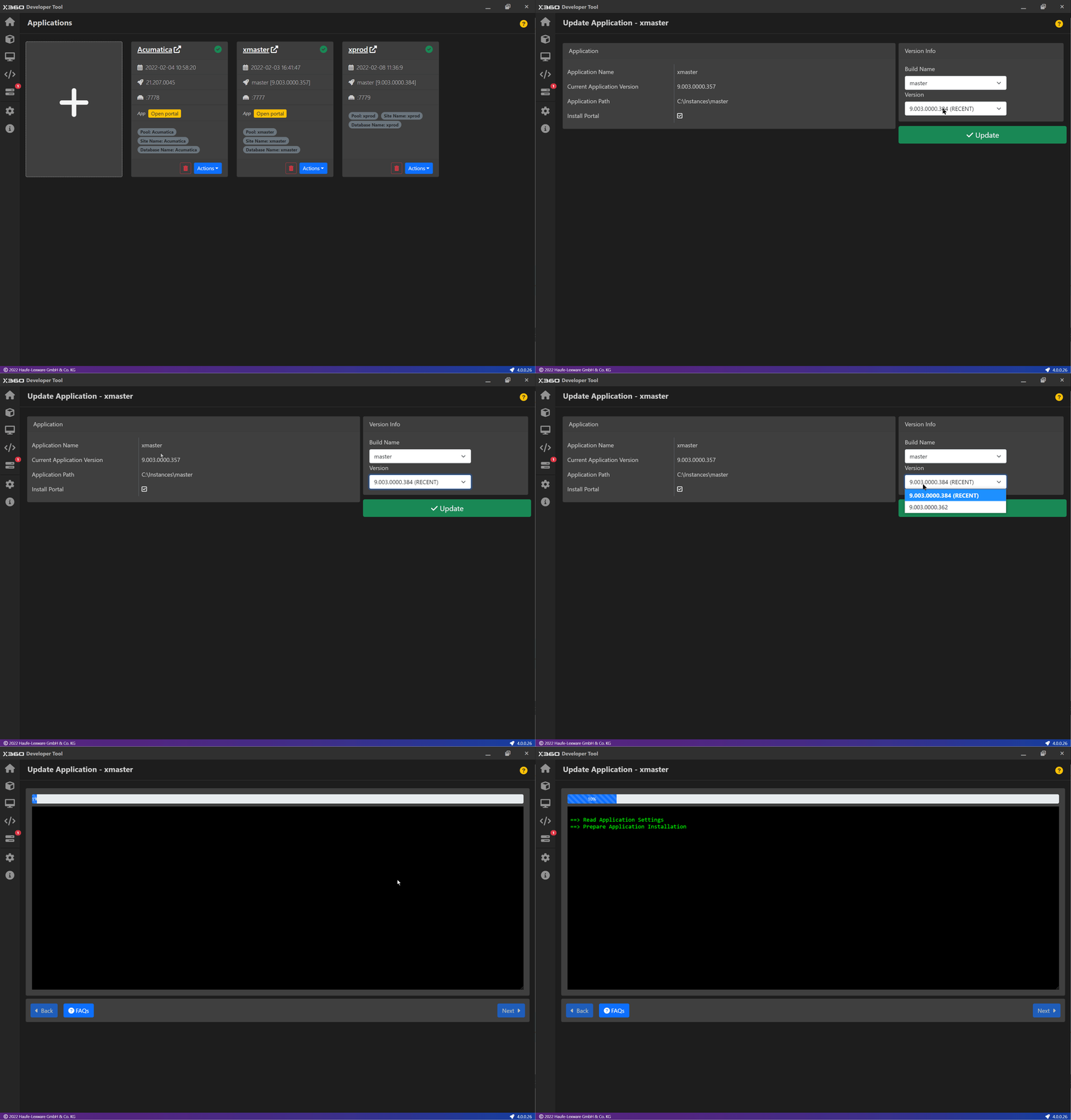
Go to the Applications screen
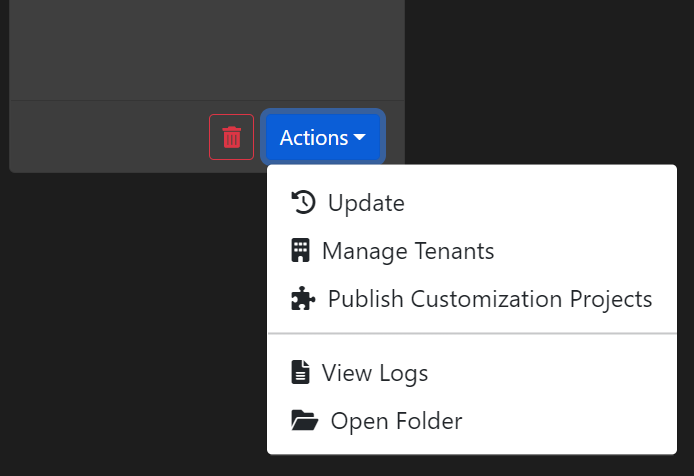
Click on the Update button from the Actions menu
On click, you will be shown a form with existing application details
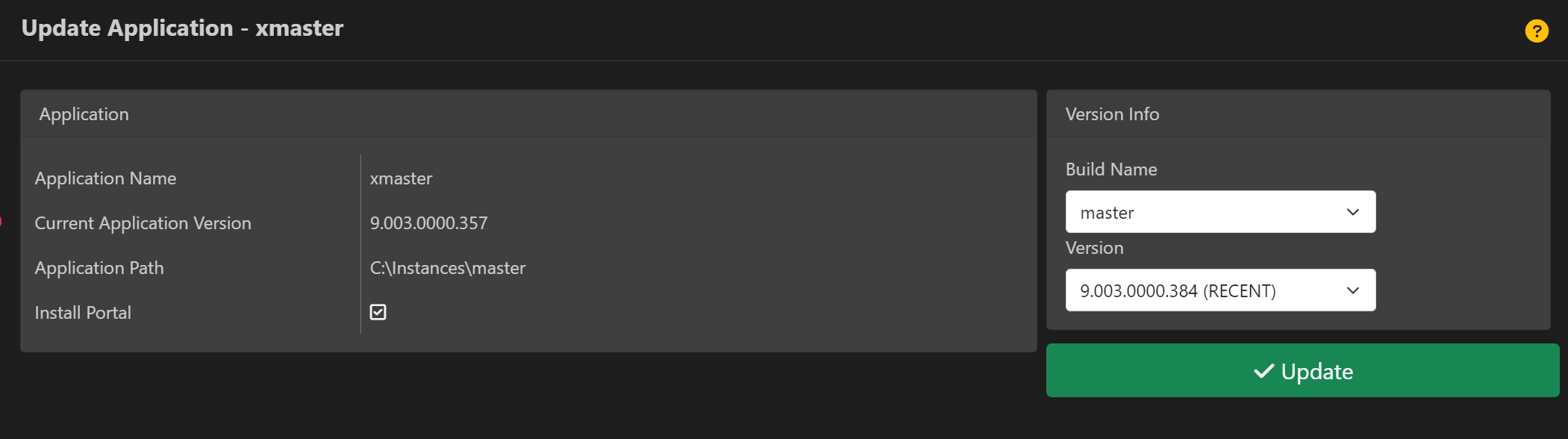
In Update Information section, you can choose a Build Name. Based on the build name, application versions are fetched. Only the versions which are higher than the Current Application version are shown.
Select an appropriate version
Click on Update
ℹ️ INFORMATION
Portal instance is updated along with the main ERP application instance. You do not have to update an portal instance separately.
Modern Portals are refreshed to the new build after the update. See Modern Portal.
⚡ IMPORTANT ⚡
Updating an instance with a Legacy Portal to version 26R1 or later removes the Legacy Portal. The update form asks you to
confirm this with Yes, remove the Legacy Portal. No Modern Portal is created automatically; add one after the update.