WSL (Windows Subsystem for Linux)
WSL (Windows Subsystem for Linux) can be used as an alternative to running the following dependencies on Windows: - SQL Server Developer Edition - RabbitMQ - PostgreSQL (available only for Acumatica installations)
Running these dependencies on WSL can help reduce maintenance overhead.
Prerequisites
To use WSL for running the dependencies, you need to have WSL installed and set up on your Windows machine. Run the following command in PowerShell to check the WSL status:
wsl --status
If the command returns that WSL is not installed, you can install it by running the following command in PowerShell as an administrator:
wsl --install
After installing WSL, you will need to restart your computer. Once WSL is installed and set up, you can proceed with installing the dependencies on WSL.
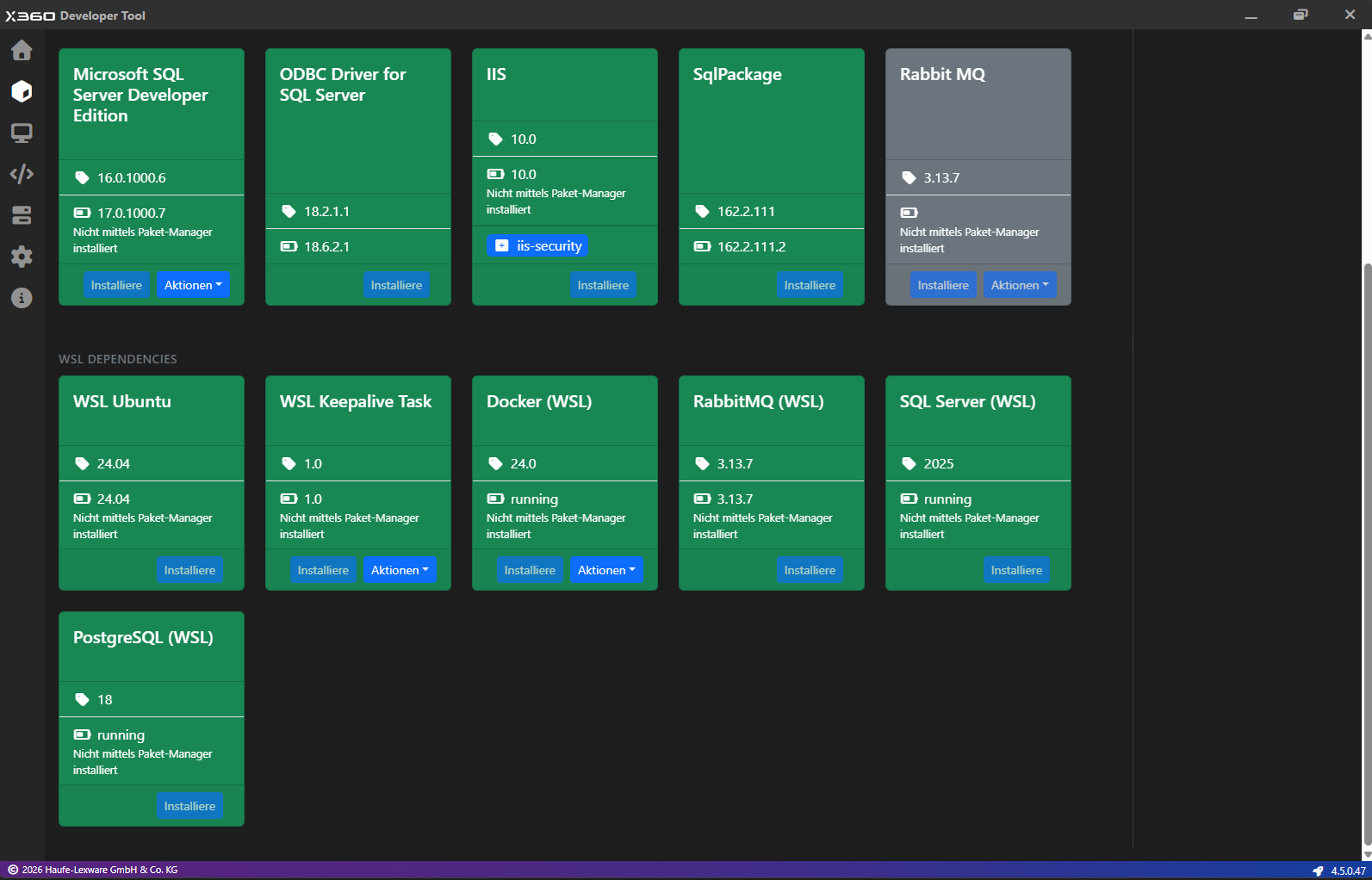
WSL Ubuntu
WSL Ubuntu installs the Ubuntu distribution of Linux on your Windows machine. The distribution will be added with the name “HaufeXDT” in your WSL distributions list.
WSL Keepalive Task
This task is responsible for keeping the WSL running in the background. This is required to ensure that the dependencies running on WSL are always available and responsive when needed.
Docker (WSL)
Docker hosts the services on WSL.
RabbitMQ (WSL)
Only one RabbitMQ instance can be installed via XDT. To install and use the RabbitMQ instance on WSL, you need to make sure that the RabbitMQ instance on Windows is not installed or is uninstalled if it was previously installed.
SQL Server (WSL)
Prerequisites: - Inbound TCP port 1433 must be available for SQL Server running on WSL. This port is going to be configured and limited to local access only. - This is also the default port used by the local SQL Server instances on Windows, so if you have a local SQL Server instance installed on Windows, you need to make sure that the SQL Server instance is not installed or is uninstalled if it was previously installed. - IPv6 must be enabled.
Only one SQL Server instance can be installed via XDT. This is because of a limitation of the Acumatica Configuration tool (ac.exe) which can only use named pipes to connect to SQL Server (and no TCP/IP).
After the installation, the SQL Server instance on WSL can be accessed using the following connection string:
Data Source=[::1],1433;Persist Security Info=True;User ID=sa;Password=<YourPassword>;Encrypt=True;TrustServerCertificate=True
The common local IPv6 address is ::1, but you can always check this by running the following command in PowerShell:
Get-NetIPAddress -AddressFamily IPv6 -InterfaceAlias 'Loopback*'
The password is provided during the installation of SQL Server on WSL.
PostgreSQL (WSL) [Preview]
PostgreSQL can only be installed on WSL for Acumatica installations (26r1 onwards). This is a preview functionality and is not available for production use.